- 軟件介紹
- 下載地址
- 網友評論
只要有了MailSweep,你不需要從服務器下載Email回來就可以閱讀內容,甚至刪除Email羅!MailSweep的使用方式就好像是FTP軟件一般,只要先連接到Email服務器,你就可以看到郵件標題、寄件者、寄件日期、郵件大小等等資訊。根據這些資料你可以進一步預覽郵件內容,也可以直接刪除郵件。MailSweep支持多重帳號,可以同時設定好幾個郵件帳號,切換郵件服務也很容易。另外,Automail這個小功能還會幫你自動檢查郵件信箱。你也可以設定檢查時間,以及通知的聲音。不過,MailSweep的試用版有許多功能都沒有開放,如:郵件帳號就只能夠設定一個而已!
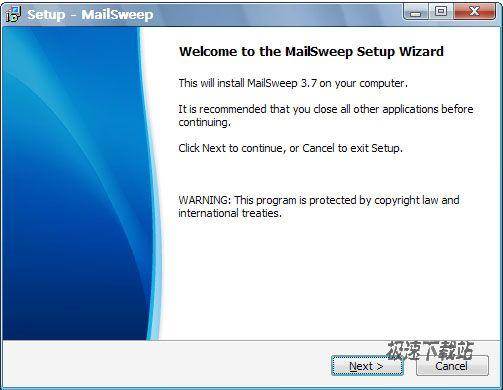
As long as there MailSweep, you do not need to download the Email came back from the server to read the content, or even delete Email Lo! MailSweep way to use FTP software like normal, just connect to the Email server, you can see the message headers, sender, mailing date, message size, etc. information. Based on this information you can further preview the message content can also delete the message. MailSweep support multiple accounts, you can also set up several mail accounts, mail service is also very easy to switch. In addition, Automail this little feature will help you automatically check the mailbox. You can also set the check time, and the notification sound. However, MailSweep trial version has many features that are not open, such as: e-mail account can only be set to one only!

18.88 MB / 2021/11/16

10.66 MB / 2021/10/20

565 KB / 2021/10/16

12.42 MB / 2021/10/7

3 KB / 2021/9/27

14.3 MB / 2021/9/14

10.15 MB / 2021/9/12

27.8 MB / 2021/9/10
- 共 0 條評論,平均 0 分 我來說兩句
- 人氣英雄聯盟下載官方下載
- 《英雄聯盟》(簡稱LOL)是由美國拳頭游戲(Riot Games)開發、中國大陸地區騰訊游戲代理運營的英雄對戰MOBA... [立即下載]
- 好評極速迅雷 1.0.35.367 官方版
- 極速版迅雷下載再次提速,下載更加快,更加給力,而且極速版迅雷還去除了一系列繁復、多余的插件,如無廣告... [立即下載]