您的位置:極速下載站 → 電腦軟件 → 桌面工具 → 日歷時鐘 → Horstmuc Calendar
- 軟件介紹
- 下載地址
- 網友評論
日歷窗口的大小顯示多達12個月(任何寬/高比)。月不等,可以一步一步地轉移。一個月或一年的標題上單擊以選中任何一個月或一年。選定的日期(第一個按鈕)或當前的日期和/或時間(第二個按鈕)可以復制到剪貼板。選擇菜單(按鈕上右擊鼠標提供了兩個默認格式;多達10個自定義格式可以在INI文件中指定)的日期/時間格式。根據用戶的區域設置,將顯示默認的日期/時間格式月/星期名。為菜單提供幾種語言文件。
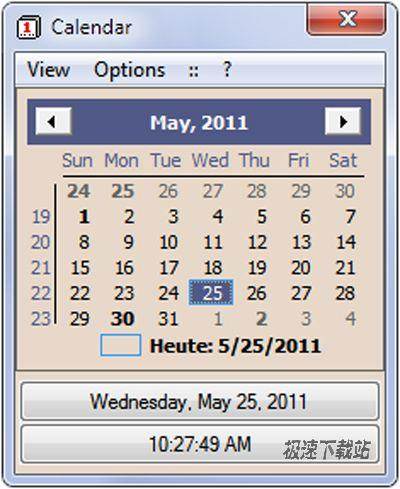
The Calendar window can be sized to display up to 12 month (any width/height ratio). The month range can be shifted step by step. Click on month or year caption to select any month or year. The selected date (first button) or the current date and/or time (second button) can be copied to the clipboard. The date/time formats are selectable by menu (right mouse click on buttons offers two default formats each; up to 10 custom formats can be assigned in the INI file). The default date/time formats and the month/weekday names will show according to the user's regional settings. Several language files are supplied for menus.








- 共 0 條評論,平均 0 分 我來說兩句
- 人氣英雄聯盟下載官方下載
- 《英雄聯盟》(簡稱LOL)是由美國拳頭游戲(Riot Games)開發、中國大陸地區騰訊游戲代理運營的英雄對戰MOBA... [立即下載]
- 好評小鳥壁紙 3.1119.1080 官方版
- 電腦長時間使用的系統原生的壁紙,看著別人電腦上的各種花樣的壁紙,自己也想像他們一樣有精彩好看的壁紙啊... [立即下載]